ChatGPT File Upload Limits 2025: Complete Guide for Every Plan
Complete breakdown of ChatGPT file upload limits for Free, Plus, Pro, Team, and Enterprise plans. Learn the exact limits and how to upload more files.
TL;DR
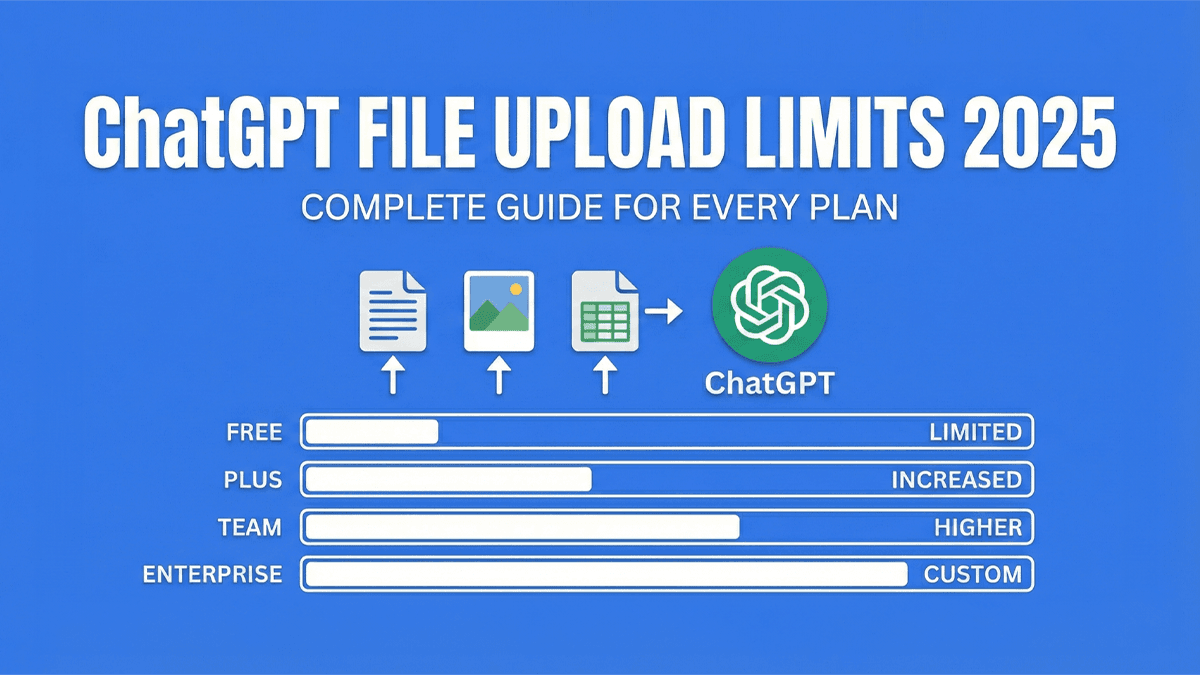
ChatGPT limits file uploads based on your plan: Free (limited), Go (extended), Plus (expanded, ~80 files/3hrs), and Pro (unlimited). All plans have a 512MB file size limit.
Need to upload more? Use OneFile to combine unlimited files into one, then upload to ChatGPT. Free, no account needed.
Understanding ChatGPT's file upload limits is essential before you start a project that requires analyzing multiple documents, code files, or research papers. Nothing is more frustrating than hitting an upload wall mid-workflow.
This guide covers the exact file upload limits for every ChatGPT plan in 2025, including the newer Pro and Team tiers, plus practical solutions when you need to work with more files than allowed.
| Plan | Price | Upload Limit | File Size |
|---|---|---|---|
| Free | $0 | 3 files/day | 512MB |
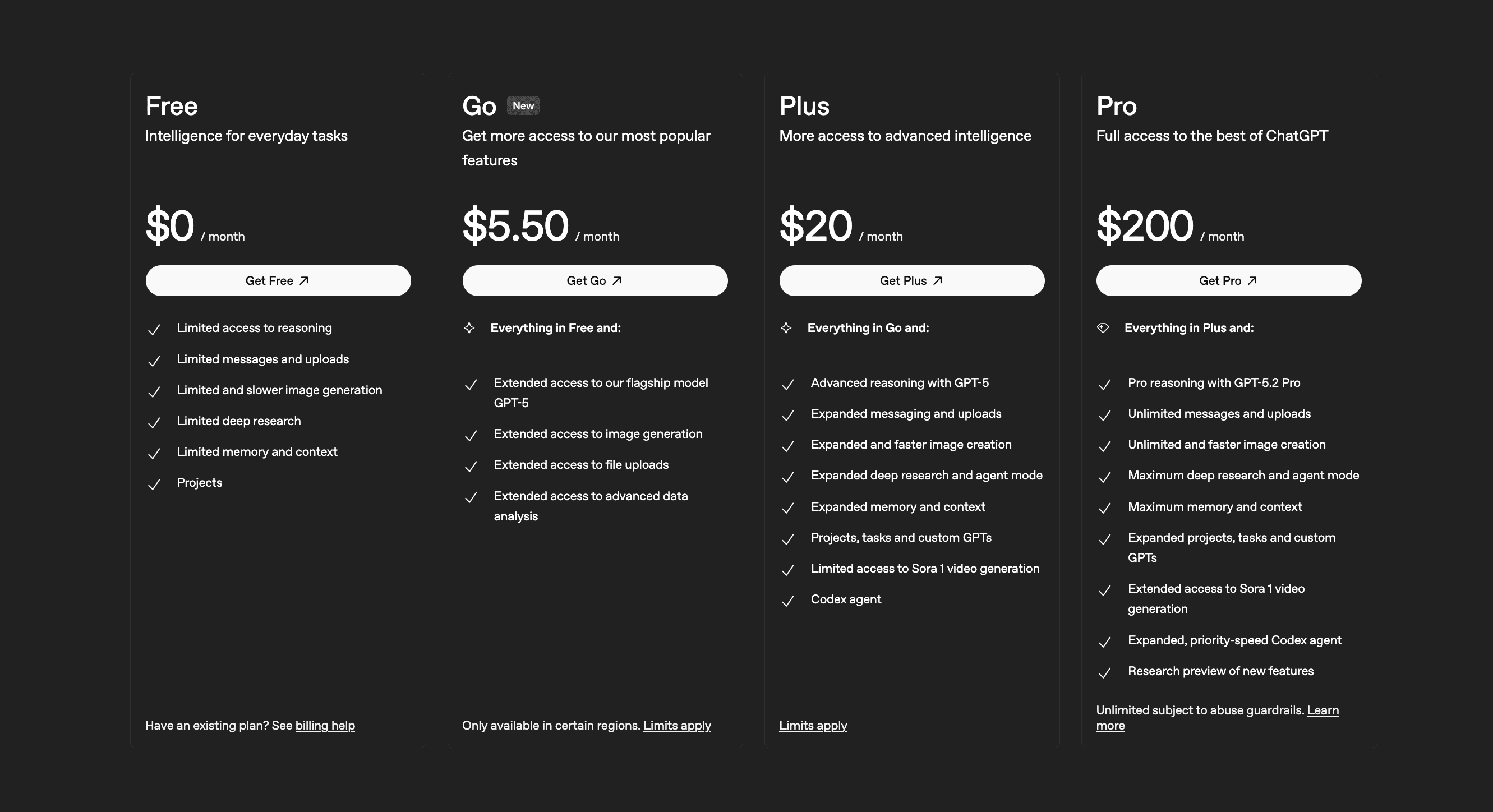
| Go | $5.50/mo | Extended | 512MB |
| Plus | $20/mo | ~80/3hrs, 10/message | 512MB |
| Pro | $200/mo | Unlimited | 512MB |
| Team | $25/user/mo | ~80/3hrs, 10/message | 512MB |
| Enterprise | Custom | Negotiable | 512MB+ |
ChatGPT File Upload Limits by Plan
OpenAI has different file upload restrictions depending on which ChatGPT plan you're on. Here's the complete breakdown:
ChatGPT Free Plan Limits
- Files per day: 3 files maximum
- File size limit: 512MB per file
- Reset time: Limit resets every 24 hours
The Free plan is the most restrictive. If you're analyzing research papers, reviewing code, or working with multiple documents, you'll hit this limit within minutes.
Note: During peak usage hours, OpenAI may temporarily reduce these limits further to maintain server performance.
ChatGPT Go Limits ($5.50/month)
- File uploads: Extended access (more than Free)
- File size limit: 512MB per file
- Data analysis: Extended access to advanced data analysis
- Availability: Only available in certain regions
Go is a newer mid-tier plan that bridges the gap between Free and Plus. It offers extended file upload access at a lower price point, making it a good option for users who need more than the Free tier but don't need all the Plus features.
ChatGPT Plus Limits ($20/month)
- Files per 3 hours: 80 files (rolling window)
- File size limit: 512MB per file
- Image uploads: 20MB per image
- Spreadsheets: 50MB per file (Excel/CSV)
- Total storage: 10GB across all conversations
Plus offers significantly more uploads than Free, but 80 files every 3 hours can still be restrictive for large codebases or document collections with hundreds of files.
ChatGPT Pro Limits ($200/month)
- File uploads: Unlimited (subject to abuse guardrails)
- File size limit: 512MB per file
- Additional features: Pro reasoning with GPT-5.2 Pro, maximum deep research, expanded Codex agent
Pro is the only plan with truly unlimited file uploads. If you regularly work with large document collections or need to upload hundreds of files without hitting limits, Pro removes that friction entirely.
Key insight: ChatGPT Pro is the only plan with unlimited uploads. If file uploads are your main concern and you have the budget, Pro eliminates all upload restrictions.
ChatGPT Team Limits ($25/user/month)
- Files per 3 hours: 80 files (rolling window)
- File size limit: 512MB per file
- Workspace features: Shared conversations, admin controls
- Data privacy: Business data not used for training
Team (formerly ChatGPT Business) offers the same upload limits as Plus, but with added workspace collaboration and privacy features.
ChatGPT Enterprise Limits (Custom Pricing)
- Files per 3 hours: Higher limits (negotiable)
- File size limit: 512MB+ (negotiable)
- Custom features: SSO, audit logs, dedicated support, expanded context
Enterprise offers the most flexibility with negotiable limits, but requires custom pricing discussions with OpenAI's sales team.
ChatGPT File Size and Format Limits
Beyond the number of files, ChatGPT also restricts file types and sizes:
Maximum File Sizes
- General documents: 512MB per file
- Images: 20MB per image (PNG, JPG, GIF, WEBP)
- Spreadsheets: 50MB per file (Excel, CSV)
- Text files: 2 million tokens maximum
Supported File Formats
ChatGPT accepts these file types:
- Documents: PDF, DOCX, DOC, PPTX, PPT, TXT, RTF, ODT
- Spreadsheets: XLSX, XLS, CSV
- Code: Most programming languages (JS, PY, TS, Java, C, etc.)
- Images: PNG, JPG, JPEG, GIF, WEBP
- Data: JSON, XML, HTML
Not supported: Video files, audio files, executable files (.exe, .app), and encrypted/password-protected documents cannot be uploaded to ChatGPT.
How the Rolling Window Works
ChatGPT Plus, Pro, and Team use a 3-hour rolling window for file uploads. Here's how it works:
- If you upload 80 files at 2:00 PM, you can't upload more until 5:00 PM
- The window rolls forward, so files uploaded at 2:00 PM "expire" at 5:00 PM
- You don't have to wait for the full reset - capacity becomes available as older uploads age out
This is more generous than a fixed daily limit, but can still be restrictive during intensive work sessions.
Why Does ChatGPT Limit File Uploads?
ChatGPT's file limits exist for several technical and business reasons:
Context Window Constraints
ChatGPT's context window can only handle a limited amount of text at once. More files mean more tokens, which can exceed processing limits.
Server Processing Costs
Processing files (especially PDFs with images or complex spreadsheets) requires significant server resources. Limiting uploads helps OpenAI manage infrastructure costs.
Storage Limitations
With millions of users, storing files adds up. The 10GB storage limit per user (on Plus) helps keep costs manageable.
How to Upload More Files to ChatGPT
If ChatGPT's file limits are blocking your workflow, here are practical solutions:
Option 1: Combine Files Before Uploading (Recommended)
The most effective workaround is to merge multiple files into a single file before uploading. ChatGPT counts files, not content. One file containing 100 documents counts as one upload.
OneFile is a free tool that does exactly this:
- Go to onefileapp.com
- Drag and drop your files or folders (or import from GitHub)
- Download the combined output as a single .txt file
- Upload to ChatGPT and ask questions about any of your files
Pro tip: OneFile automatically skips unnecessary files like node_modules, .git folders, and build artifacts. It also respects .gitignore rules for cleaner output.
For a detailed step-by-step guide with tips, see our complete guide to bypassing ChatGPT's file upload limit.
Option 2: Batch Your Uploads
If you can't combine files, upload in batches across multiple messages. Reference previous uploads in your prompts to maintain context.
Frequently Asked Questions
How many files can I upload to ChatGPT for free?
ChatGPT Free allows 3 file uploads per day. This limit resets every 24 hours.
What is the ChatGPT Plus file upload limit?
ChatGPT Plus allows 80 files per 3-hour rolling window. Each file can be up to 512MB.
Does ChatGPT Pro have higher file limits than Plus?
Yes! ChatGPT Pro ($200/month) offers unlimited file uploads, while Plus is capped at around 80 files per 3-hour window. Pro is the only plan with truly unlimited uploads.
When does the ChatGPT file upload limit reset?
For Free users, the 3-file limit resets every 24 hours. For paid plans, the 80-file limit uses a rolling 3-hour window that continuously refreshes.
Can I upload a ZIP file to ChatGPT?
ChatGPT can accept ZIP files, but extraction and processing can be unreliable. For code projects, combining files into a readable text format with a tool like OneFile produces better results.
Why does ChatGPT say "You've reached your file upload limit"?
This error appears when you've exceeded your plan's upload allowance. Free users see this after 3 files/day; paid users see it after 80 files in a 3-hour window.
Is there an AI with unlimited file uploads?
ChatGPT Pro ($200/month) offers unlimited file uploads. For other plans or platforms with limits, you can effectively bypass restrictions by combining multiple files into one before uploading. OneFile makes this easy and free.
Summary: ChatGPT File Upload Limits at a Glance
- Free: Limited uploads (~3/day), 512MB/file
- Go ($5.50/mo): Extended uploads, 512MB/file
- Plus ($20/mo): Expanded uploads (~80/3hrs), 512MB/file
- Pro ($200/mo): Unlimited uploads, 512MB/file
- Team ($25/user/mo): Expanded uploads (~80/3hrs), 512MB/file
- Enterprise: Custom/negotiable limits
While ChatGPT Pro offers unlimited uploads, most users are on Free, Go, or Plus plans where limits apply. If you don't want to pay $200/month for Pro, combining files before upload is the most practical solution.
OneFile lets you combine unlimited files for free, no account required. Upload entire folders, codebases, or document collections, then send one file to ChatGPT with all your content intact.