How Many Files Can You Upload to ChatGPT? (2026 Limits)
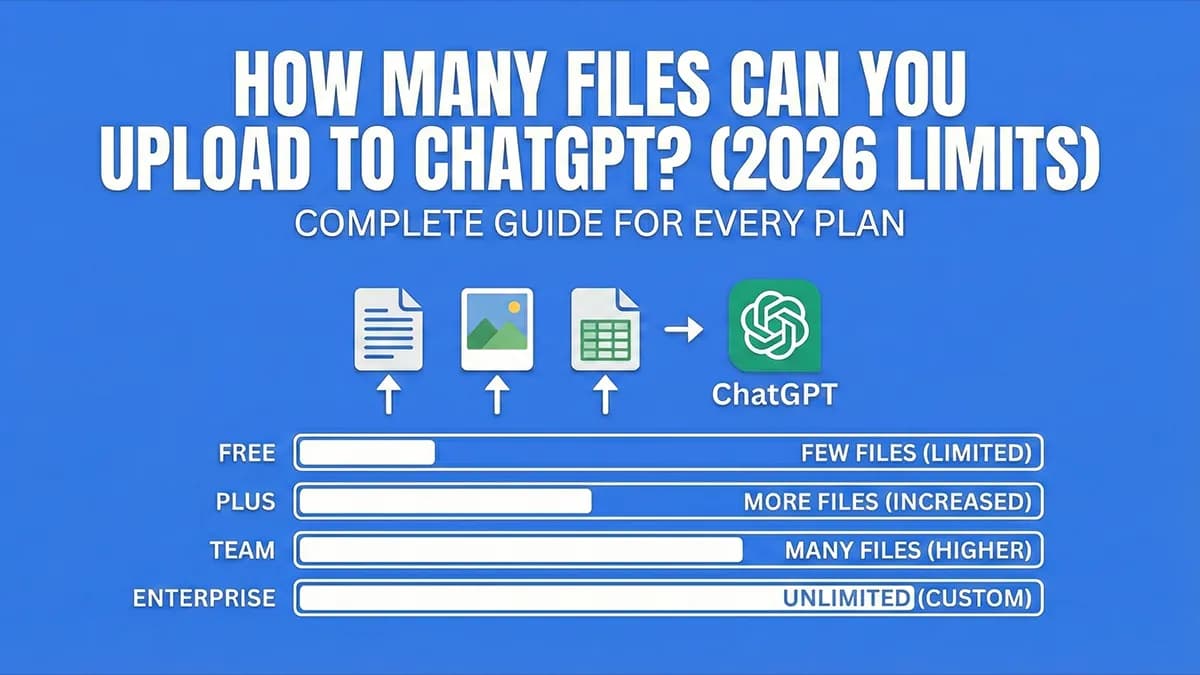
ChatGPT Free: 3 files/day. Plus: ~80 files/3 hours. Pro: Unlimited. Complete breakdown of upload limits for every plan, plus how to upload more.
TL;DR
ChatGPT Free: 3 files per day. ChatGPT Plus: ~80 files per 3 hours (10 per message). ChatGPT Pro: Unlimited.
Need more? Use OneFile to combine unlimited files into one, then upload to ChatGPT. Free, works on any plan.
Below is the breakdown by plan, with per-message limits, rolling-window behavior, file-size and file-type rules, and the practical workaround when whichever cap applies to you starts getting in the way.
Which limit actually slows you down? On Free, it's the 3-file daily cap. Most users hit this inside a single working session. On Plus, the 10-files-per-message cap bites long before the 80-files-per-3-hours one. Anyone uploading a codebase or a folder of PDFs runs into it on message one. On Pro, the practical ceiling is ChatGPT's ~128K-token context window, not the file count. Knowing which cap applies to you decides whether upgrading solves the problem or just moves it.
ChatGPT File Upload Limits (2026)
| Plan | Price | Files You Can Upload | Per Message |
|---|---|---|---|
| Free | $0 | 3 files/day | 3 files |
| Go | $5.50/mo | Higher than Free (exact cap not published) | ~10 files |
| Plus | $20/mo | ~80 files/3 hours | 10 files |
| Pro | $200/mo | Unlimited | Unlimited |
| Team | $25/user/mo | ~80 files/3 hours | 10 files |
| Enterprise | Custom | Negotiable | Negotiable |
ChatGPT Free: 3 Files Per Day
On ChatGPT's free plan, you can upload 3 files per day. This limit resets every 24 hours.
- Daily limit: 3 files total
- Per message: Up to 3 files
- File size: 512MB per file
- Reset: Every 24 hours
Once you hit the limit, you'll see the error: "You've reached your file upload limit." See our guide to fixing ChatGPT's upload limit error for how to resolve it instantly.
Note: The 3-file limit counts all file types - PDFs, documents, code files, images. Each upload uses one of your 3 daily slots.
ChatGPT Plus: ~80 Files Per 3 Hours
ChatGPT Plus ($20/month) significantly increases your upload limit:
- Rolling limit: ~80 files per 3-hour window
- Per message: 10 files maximum
- File size: 512MB per file
- Reset: Rolling 3-hour window (not a hard reset)
How the Rolling Window Works
Unlike the Free plan's daily reset, Plus uses a rolling 3-hour window:
- Upload 80 files at 2:00 PM → can't upload more until 5:00 PM
- As time passes, older uploads "expire" and free up capacity
- You don't have to wait for a full reset - capacity becomes available gradually
The 10-File Per Message Limit
Even with Plus, you can only attach 10 files per message. For larger projects, you'll need to upload in batches across multiple messages.
Example: To upload 50 files with Plus, you'd need to send 5 separate messages with 10 files each. This is tedious for large codebases.
ChatGPT Pro: Unlimited Uploads
ChatGPT Pro ($200/month) is the only plan with truly unlimited file uploads:
- Upload limit: Unlimited (subject to abuse guardrails)
- Per message: No practical limit
- File size: 512MB per file
- Additional perks: Unlimited GPT-5.2 and advanced reasoning features
At $200/month ($2,400/year), Pro is designed for power users and professionals who need heavy AI usage without restrictions.
File Size Limits (All Plans)
Regardless of your plan, ChatGPT has file size restrictions:
| File Type | Maximum Size |
|---|---|
| Documents (PDF, DOCX, TXT, etc.) | 512MB |
| Images (PNG, JPG, GIF, WEBP) | 20MB |
| Spreadsheets (XLSX, CSV) | 50MB |
| Text content | ~2 million tokens |
Supported File Types
ChatGPT accepts these file formats:
- Documents: PDF, DOCX, DOC, PPTX, PPT, TXT, RTF, ODT
- Spreadsheets: XLSX, XLS, CSV
- Code: JS, TS, PY, Java, C, C++, Go, Rust, Ruby, PHP, and more
- Images: PNG, JPG, JPEG, GIF, WEBP
- Data: JSON, XML, HTML
Not supported: Video files, audio files, executables (.exe, .app), and password-protected documents.
How to Upload More Files Than Your Limit
If ChatGPT's limits are blocking your workflow, you have a few options:
Option 1: Combine Files (Recommended)
The most effective workaround: merge multiple files into one before uploading. ChatGPT counts files, not content. One file containing 100 documents counts as one upload.
OneFile does this automatically:
- Go to onefileapp.com
- Upload your files or folders (or import from GitHub)
- Download the combined output as a single file
- Upload to ChatGPT - all your content in one file
This works on any plan, including Free. Combine 100 files into one, upload it, and ChatGPT can analyze all of them.
Option 2: Upgrade Your Plan
- Free → Plus ($20/mo): Goes from 3 files/day to ~80 files/3 hours
- Plus → Pro ($200/mo): Truly unlimited uploads
Want to see how ChatGPT stacks up against other AI platforms? See our AI file upload limits comparison for a side-by-side breakdown.
Option 3: Batch Your Uploads
If you're on Plus or higher, upload in batches of 10 files across multiple messages. Reference previous uploads in your prompts to maintain context.
Frequently Asked Questions
How many files can I upload to ChatGPT for free?
ChatGPT Free allows 3 file uploads per day. The limit resets every 24 hours.
How many files can ChatGPT Plus users upload?
ChatGPT Plus users can upload approximately 80 files per 3-hour rolling window, with a maximum of 10 files per message.
Why does ChatGPT say "You've reached your file upload limit"?
This error appears when you've hit your plan's upload cap. Free users see it after 3 files per day. Plus users see it after ~80 files in 3 hours. Wait for the limit to reset, upgrade your plan, or use OneFile to combine files.
Can I upload a folder to ChatGPT?
No, ChatGPT doesn't support folder uploads directly. You need to select files individually. However, you can use OneFile to upload entire folders, combine them into one file, and then upload that to ChatGPT.
What's the maximum file size for ChatGPT?
512MB per file for documents, 20MB for images, and 50MB for spreadsheets. These limits apply to all plans.
How do I upload more than 10 files to ChatGPT at once?
ChatGPT limits you to 10 files per message (on Plus/Pro). To upload more at once, combine your files into a single file using OneFile, then upload that one file containing all your content.
Does ChatGPT Pro really have unlimited uploads?
Yes, ChatGPT Pro ($200/month) has no explicit file upload limits. However, OpenAI may throttle extreme usage to prevent abuse.
Summary
- ChatGPT Free: 3 files per day, resets every 24 hours
- ChatGPT Go: Higher than Free (exact cap not published by OpenAI)
- ChatGPT Plus: ~80 files per 3 hours, 10 per message
- ChatGPT Pro: Unlimited uploads
- All plans: 512MB max file size
If you need to upload more files than your plan allows, the easiest solution is to combine your files into one before uploading. This works on any plan and costs nothing.
Need to upload more than your plan allows? See our guide to working around ChatGPT's file upload limit.